A microcontroller can interface with devices used for input and output, and then transmit that information to a host computer. Devices can be divided into two general groups:
- Standard Digital Input
- Analog and Digital I/O
Standard Digital Input
A computer can receive input from devices such as a keyboard and mouse, typically through USB. A USB HID emulator device can translate custom digital inputs to USB messages. A USB HID emulator can also translate analog input, such as a gamepad with analog joysticks.
USB Emulator
A device such as a USB emulator can transmit standard inputs to a host, but with customized buttons and arrangements. If the target software on a host computer accepts standard keyboard inputs, then a USB emulator can be a complete microcontroller solution for those inputs.
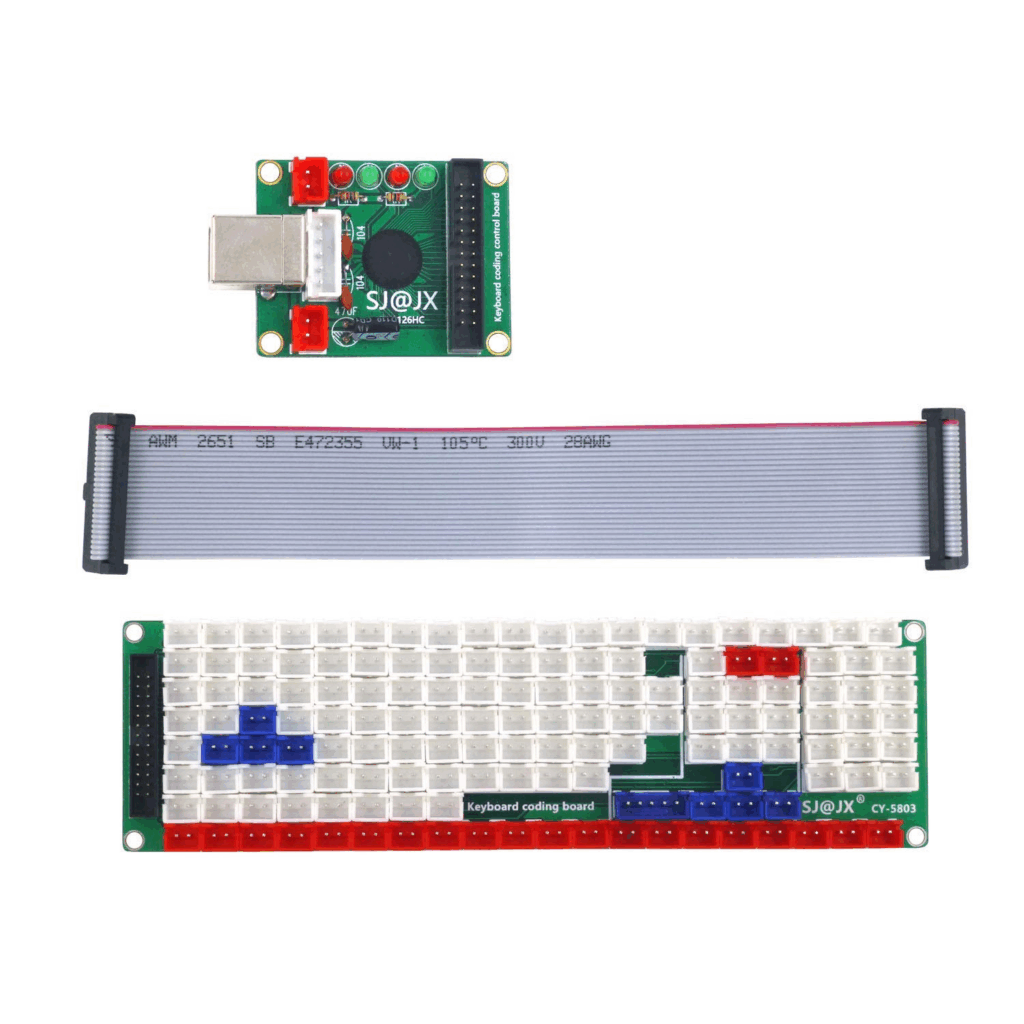
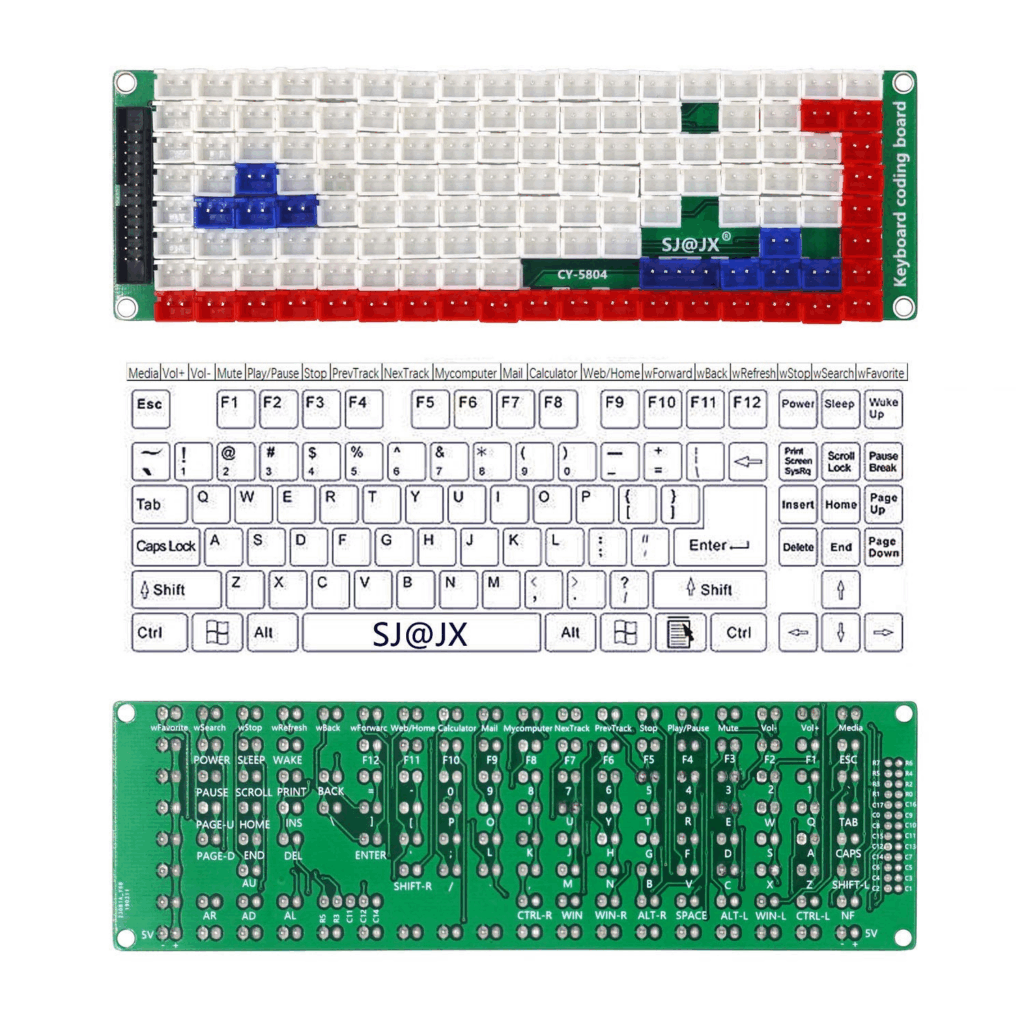
USB Keyboard Emulator SJ@JX CY-1126HC + CY-5803
An emulator like this is a complete USB keyboard, but without any keys. The breakout board provides a socket for each digital input. A pressed button connected to the breakout board will send the corresponding key-press message through USB to the host computer. No programming or configuration is required.
This kit features a JST XH 2.54 2P socket for each key.
USB Gamepad Emulator SJ@JX CY-1005A
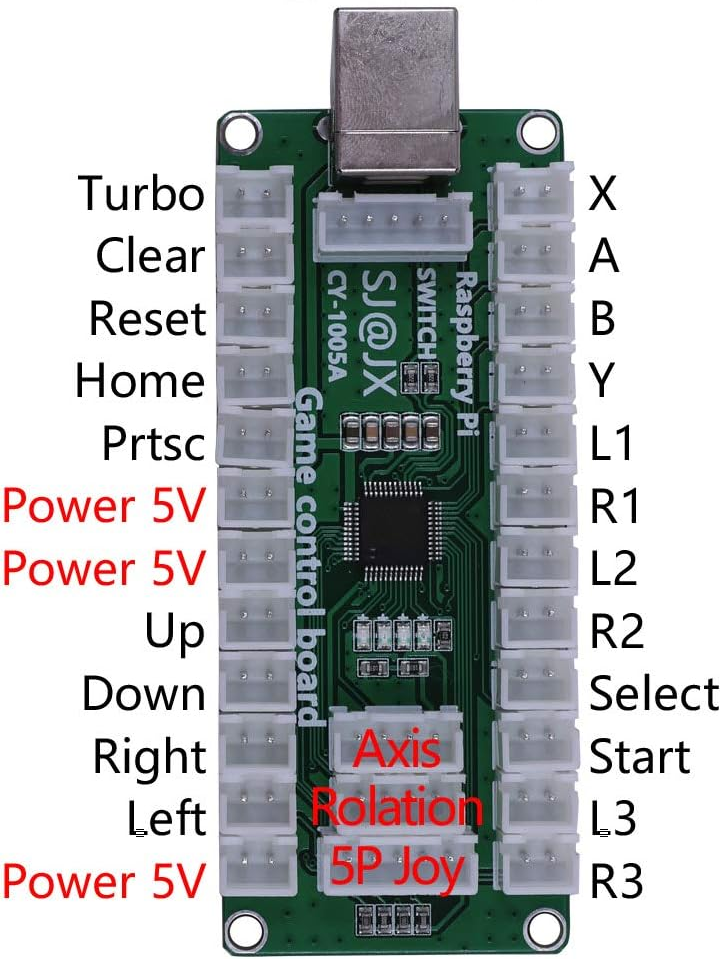
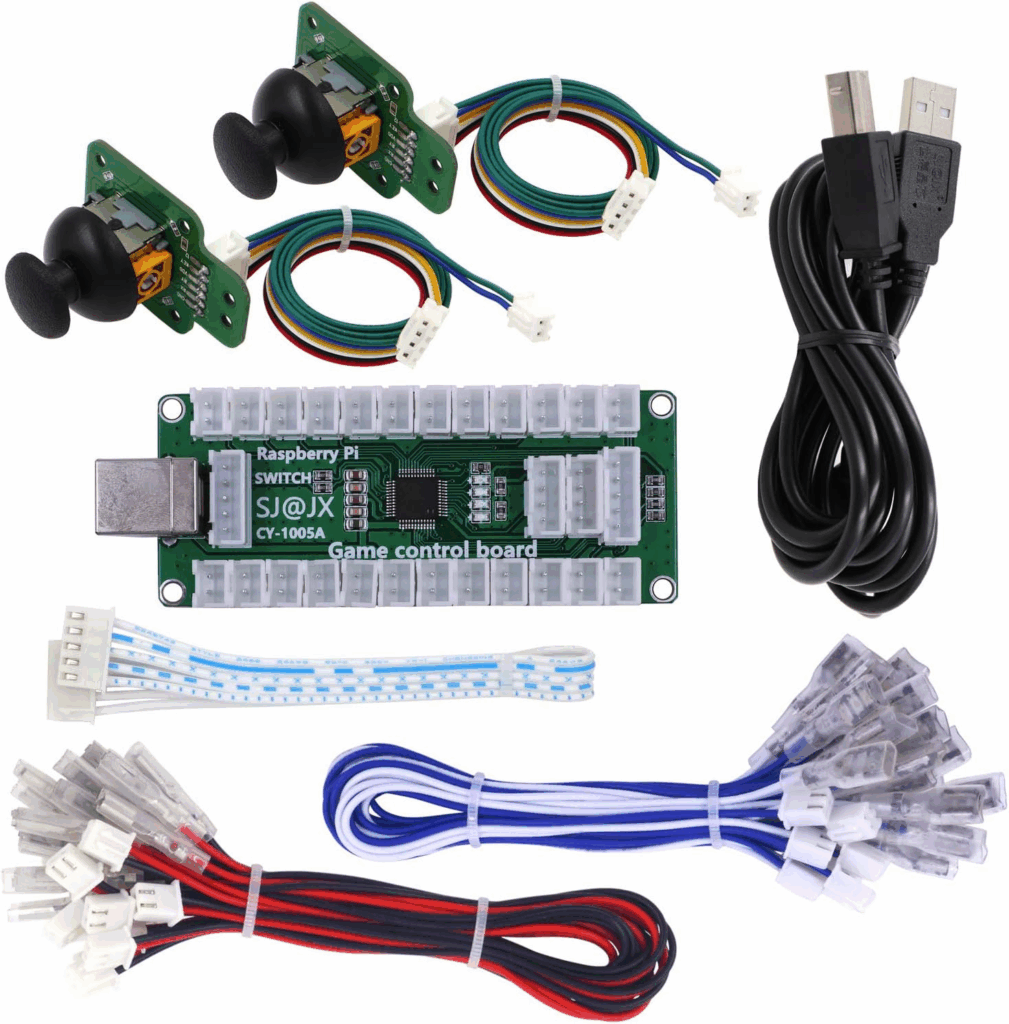
This type of emulator is a USB gamepad, but without any buttons. This differs from a keyboard emulator in that, along with digital inputs, is also has analog inputs for the joysticks. No programming or configuration is required.
This kit features a JST XH 2.54 2P socket for each key, plus sockets for analog joystick inputs.
Analog and Digital Input/Output
A programmable microcontroller can process custom inputs and send that information to a host computer through a USB connection. Some microcontrollers also feature additional connectivity, such as Ethernet, WiFi, and even Bluetooth.
The advantage of a programmable microcontroller is that it can support both input and output, such as input from analog sliders, and output to LEDs, OLED displays, and motors.
Microcontroller
Modern microcontrollers are available in a wide variety of sizes, prices, and features. The more popular and common a particular microcontroller is, the more likely it is supported with firmware libraries, and the more likely help can be found online.
ESP32 Family
The ESP32 was initially designed to add WiFi and BLE to other microcontrollers, but has become a complete device of its own. It features fast processing, wireless connectivity, and enough memory to store files such as web pages.
An ESP32 can host a WiFi network, serve as a web host, and can update its firmware from sources such as an SD card reader, or even over WiFi.
https://en.wikipedia.org/wiki/ESP32
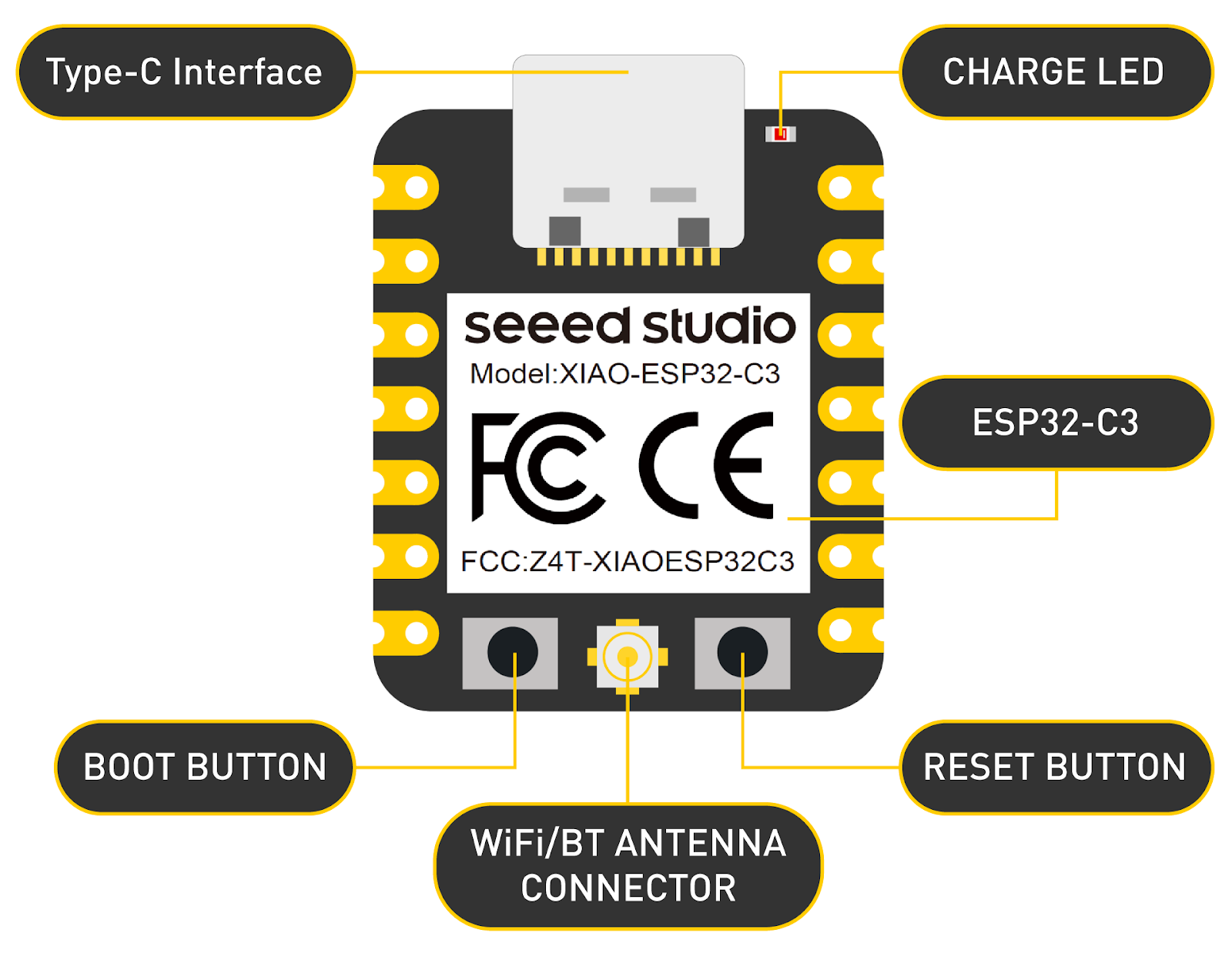
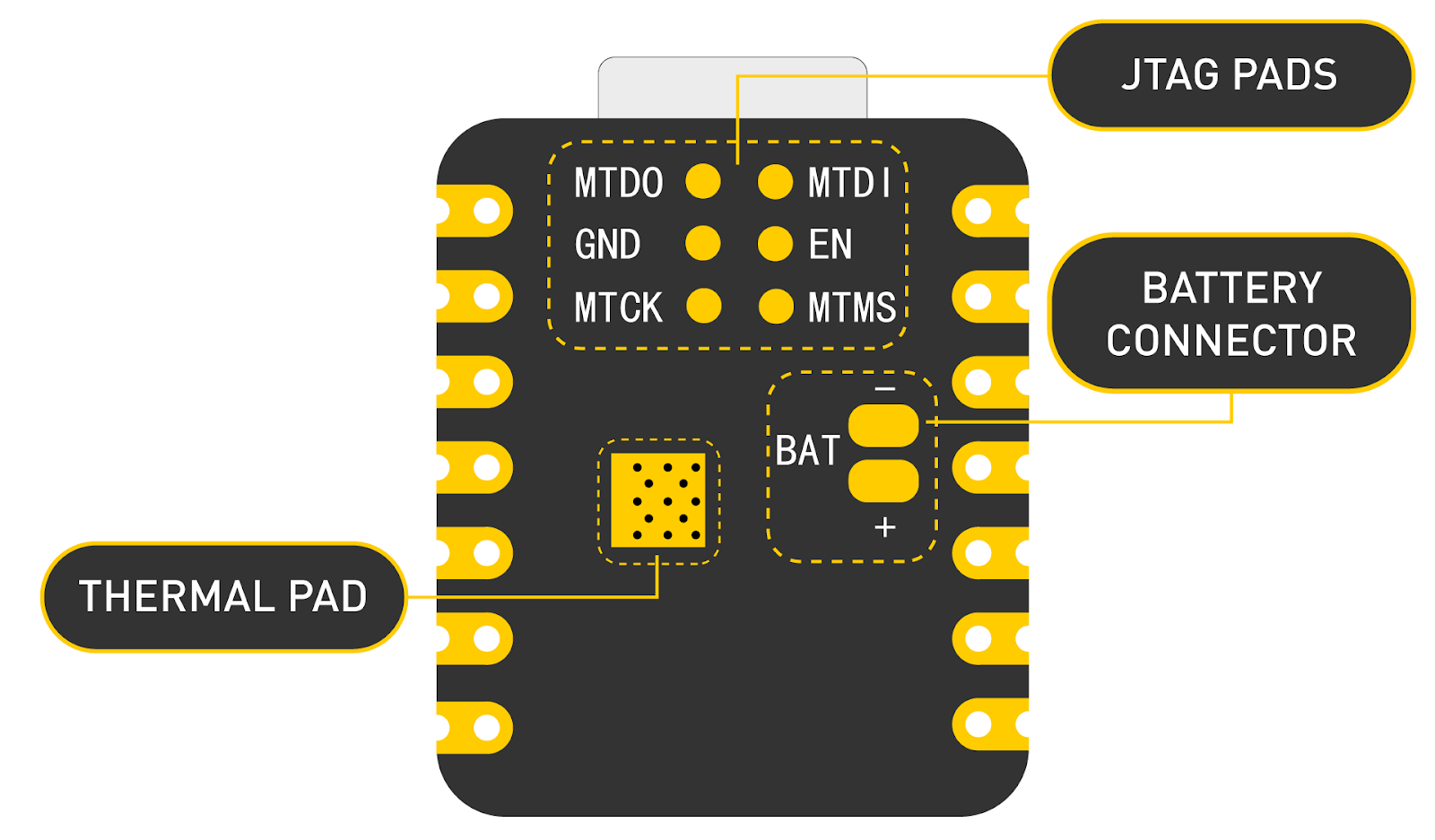
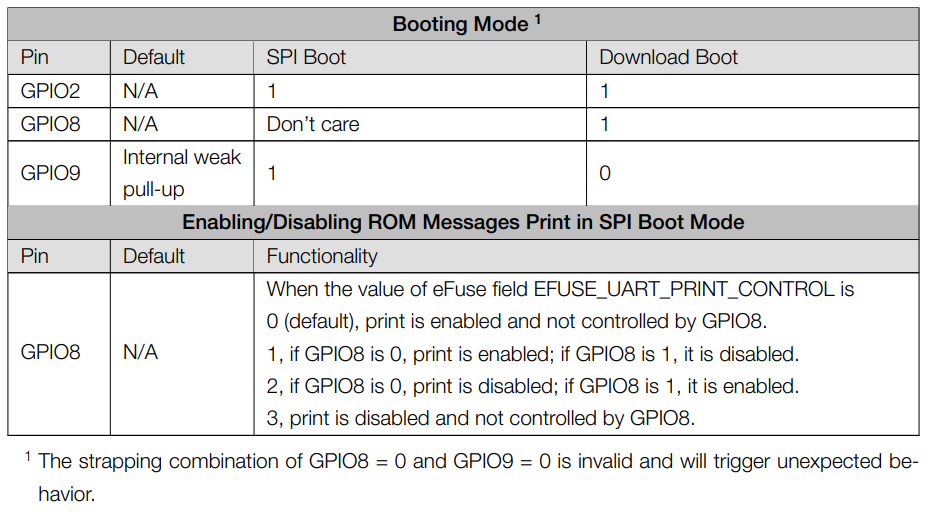
XIAO ESP32-C3
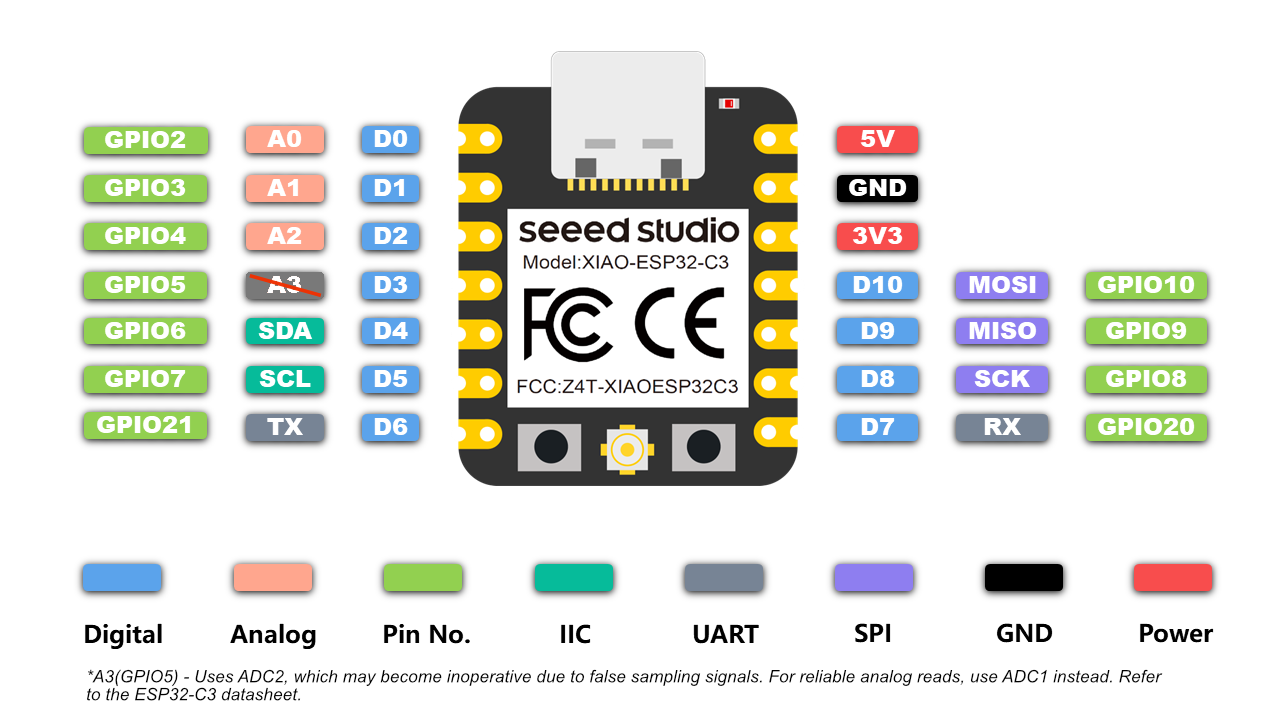
The ESP32-C3 is very compact, featuring a 14-pin footprint.
- DIO x11
- ADC x3
- I2C/SPI
- WiFi/BLE
ESP32-C3 Use Cases
| I/O XIAO ESP32-C3 | Numeric + OLED | Meter + OLED |
|---|---|---|
| GPIO3 | Encoder A | Encoder A |
| GPIO4 | Encoder B | Encoder B |
| GPIO5 | Button | Button |
| GPIO6 | SDA (I2C) | SDA (I2C) |
| GPIO7 | SCL (I2C) | SCL (I2C) |
| GPIO8 | CLK (Numeric LED) | |
| GPIO9 | CS (Numeric LED) | |
| GPIO10 | DIN (Numeric LED) |
Wemos ESP32-S2 “LOLIN S2 Mini”
The ESP32-S2 features 18 analog inputs. With 32 pins in a pair of dual rows, the “Mini” still maintains a compact footprint.
- DIO x27
- ADC x18
- I2C/SPI
- WiFi/BLE
https://www.wemos.cc/en/latest/s2/s2_mini.html
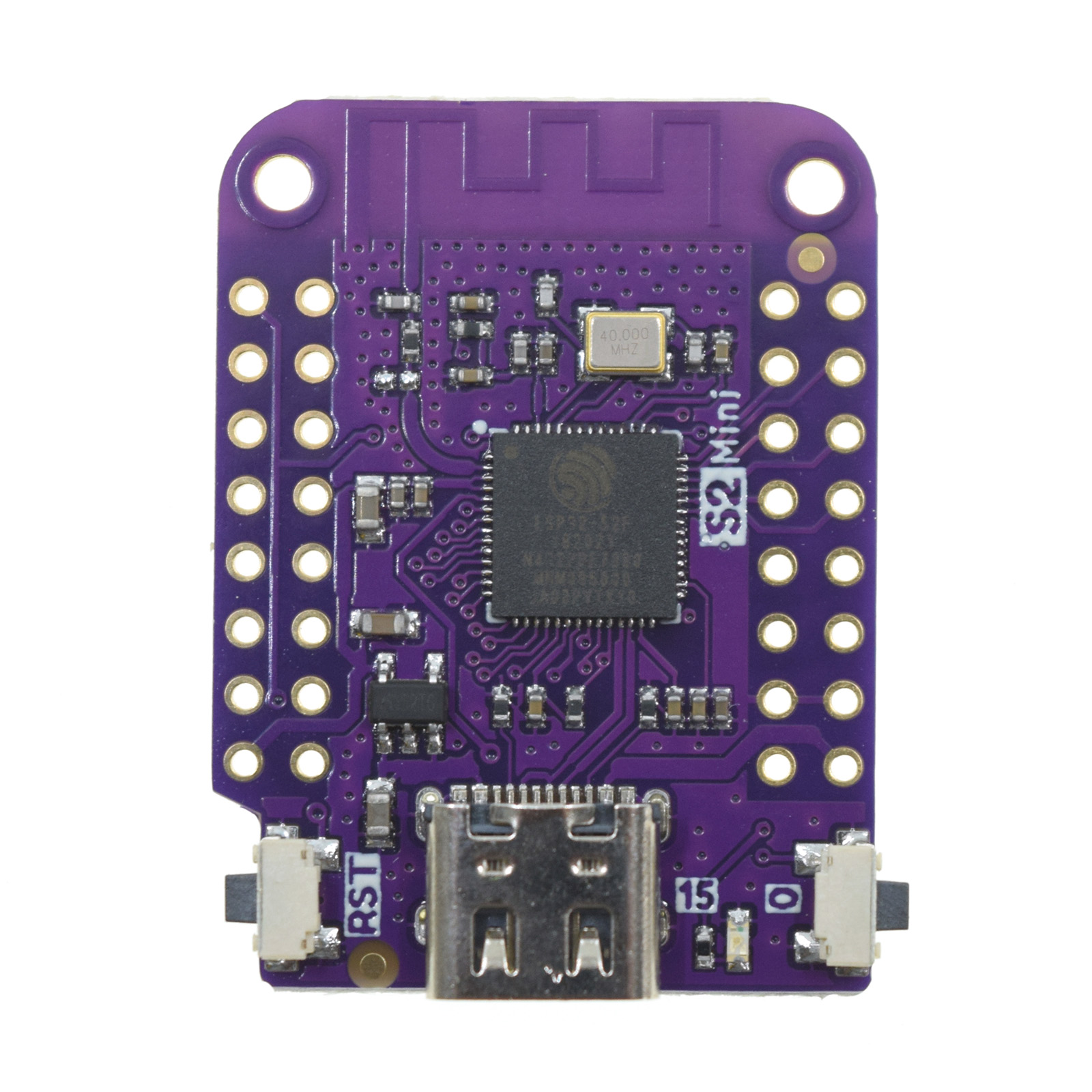
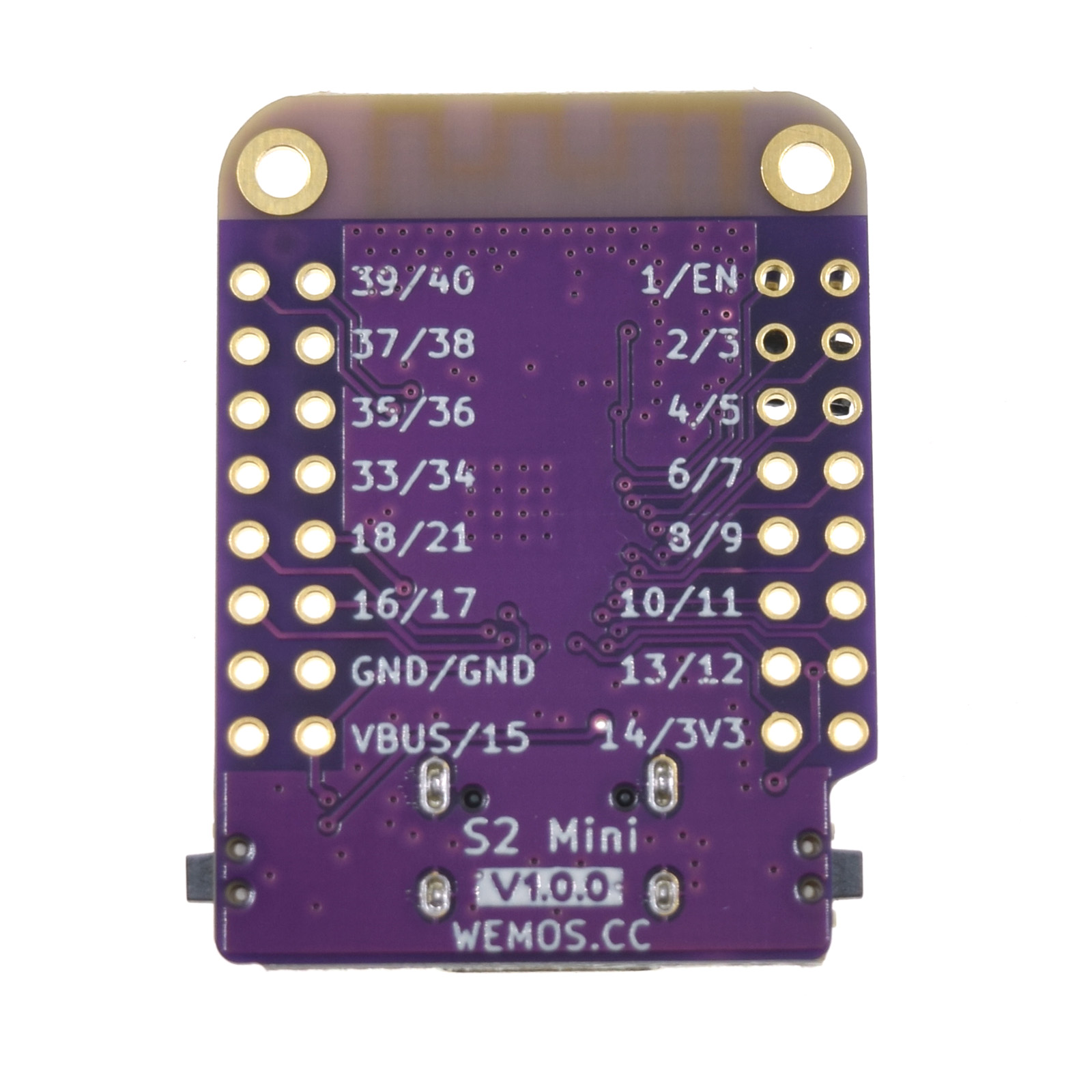
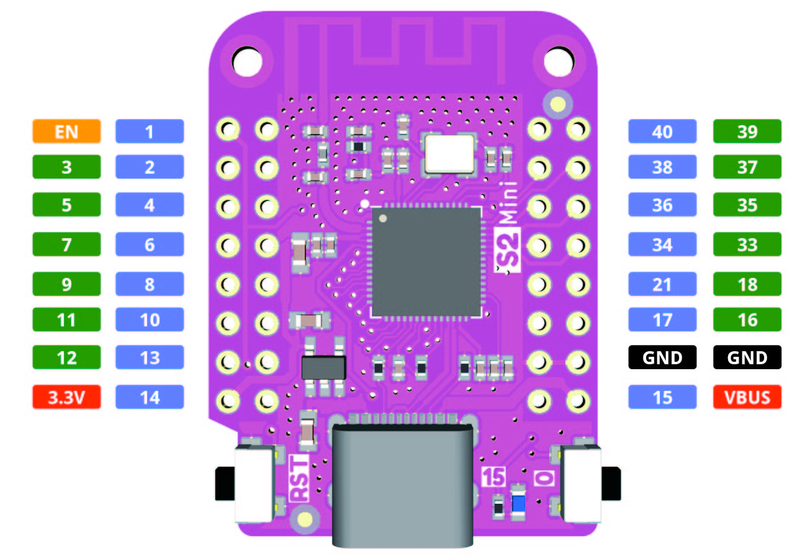
Note: The ESP32-S2 Mini has a 13-bit ADC, which results in a value range of 0-8192. To force a specific resolution, make a call like this:
void setup()
{
  ...
  analogReadResolution(12);
  ...
}
ESP32-S2 Use Cases
| I/O ESP32-S2 Mini | Analog Joystick x3 | Throttle (Motorized Fader) |
|---|---|---|
| GPIO2 | Joystick 1 X | |
| GPIO4 | Joystick 1 Y | |
| GPIO6 | Joystick 2 X | |
| GPIO10 | Joystick 2 Y | |
| GPIO13 | Joystick 3 X | |
| GPIO14 | Joystick 3 Y | |
| GPIO15 | Button (Stage) | |
| GPIO16 | Motor A | |
| GPIO18 | Motor B | |
| GPIO17 | Fader Wiper | |
| GPIO21 | Fader Touch | |
| GPIO33 | SDA (I2C) | |
| GPIO35 | SCL (I2C) |